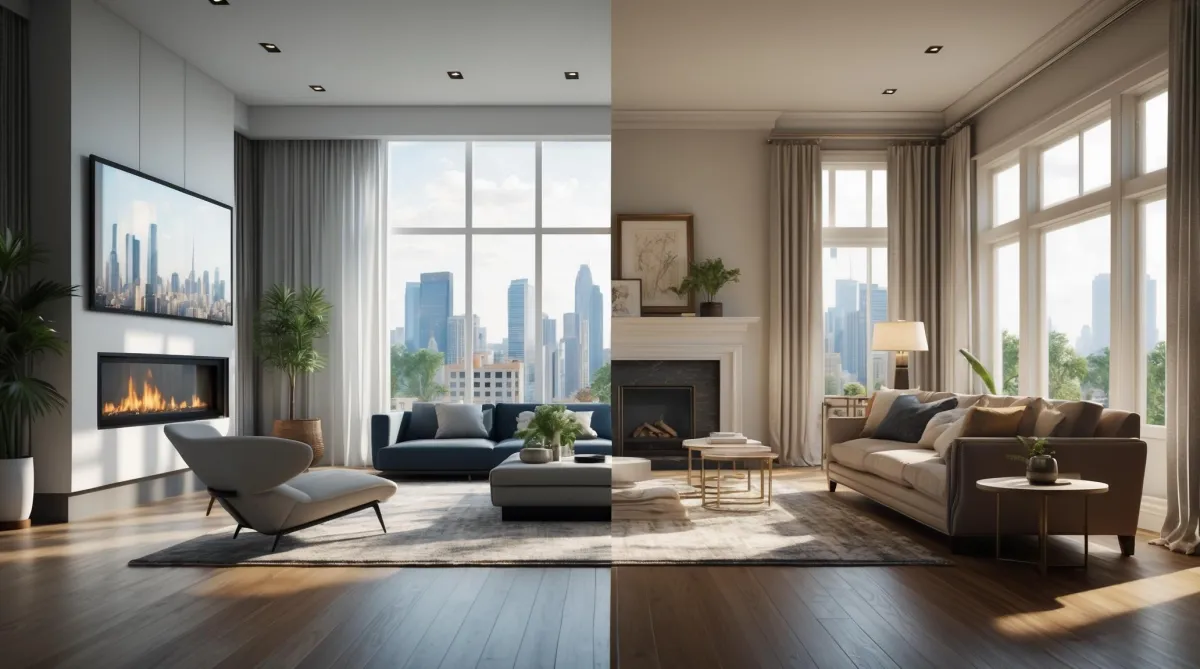
Zillow’s New AI Staging Lets Buyers Redesign Your Listing Instantly
Zillow added interactive AI staging to Showcase listings. Buyers can now swap furniture styles, colors, and layouts in real time—free—right on Zillow. Here’s how it works and why it matters for your business.
Zillow just dropped one of the biggest updates to hit real estate listings in years: interactive, AI-powered virtual staging. And this isn't old, static "we swapped your couch in Photoshop" trick. This is live, clickable, and it's built straight into Zillow Showcase listings.
This feature is live on Showcase listings in the United States; Zillow hasn't announced availability in Canada.
Here's how it works. A buyer opens up your listing on Zillow. Instead of staring at a cold, empty room-or worse, the seller's questionable furniture - they can hit a button and restyle the space instantly. Want modern? One click. Prefer Scandinavian or midcentury? Done. They can even slide between before-and-after views, swapping out couches, tables, and decor, while the bones of the homes - the floors, windows, fireplace-stay intact.
Now, let's talk about why this actually matters for you.
First, vacant homes. Event agent knows the pain of trying to sell four blank walls. Buyers walk in and can't visualize where the sofa goes. This feature eliminates that problem. They don't have to imagine-you hand them the tool to design the space themselves. That's an instant emotional connection.
Second, engagement. Zillow notices when buyers stick around. A listing that keeps someone clicking for ten minutes while they play interior designer could help your listing stand out and be discovered more often. More time on site is a good sign of interest.
Third, listing presentations. Picture yourself at the kitchen table with a seller. The other agent is talking about flyers and open houses. You pull out you laptop and say, "Your home will let buyers redesign every room online, right on Zillow." That's not fluff, that's a competitive edge.
Now, should this replace physical staging? Not always. Virtual staging is a no-brainer for vacant condos, rentals, or anything in a tighter budget. But in-person staging still has an edge in luxury markets where buyers expect to walk into a space that feels curated. Honestly, the smartest move is blending both: let Zillow's AI handle the digital imagination gap, and bring in real staging when the showing experience matters.
Quick compliance note: Zillow's AI doesn't mess with permanent fixtures. The flooring, windows, fireplaces-they stay. That said, disclose when photos are virtually staged; MLS rules vary, so check your local policy.
So here's the question: does this feel like a meaningful step, or just another gimmick? My take-anything that helps buyers connect faster and keeps your listings at the top of Zillow's feed is worth paying attention to.
And if you want to go deeper into how to use tools like this-not just knowing they exist, but turning them into strategies that win you listings and build your brand-that's what we work on inside the Wolfpack.
FAQ (Schema-Ready)
Is this available on all Zillow listings?
No. It's on Showcase listings with compatible room photos. Look for the Virtual Staging icon.
Can buyers restyle furnished rooms?
Yes. They refresh layouts, remove furniture, or view the original vs. staged photo.
What styles can shoppers choose?
Seven: modern, Scandinavian, industrial, midcentury, luxury, coastal, farmhouse.
Want to know more about these updates? Check this out: [Click Here]


